
TL;DR
- LinkedIn gives a weekly invite limit of about 200 that resets at Sunday midnight, and unused invites do not roll over.
- Open My Network, check the mutual connections count under each name, and press Connect.
- Start with the people you share the most contacts with, then keep going until you reach 200.
- Doing this every Sunday builds your network week by week, the same consistency idea behind good video marketing.
- Alex at LPV Agency, a video marketing business for UK businesses, handles the content side so you can focus on networking.
What Should I Do With My LinkedIn Invites Before Sunday Midnight?
Send all 200 of your weekly invites, starting with the people who share the most mutual connections with you.
The limit resets at Sunday midnight, so any invites left unused are lost.
Alex from LPV Agency, which provides video marketing for UK businesses, treats Sunday as the moment to check this. In his words, “It is Sunday and you know exactly what time it is.”
The Path: My Network, Then Connect
Open LinkedIn and click My Network. It takes under a minute to find.
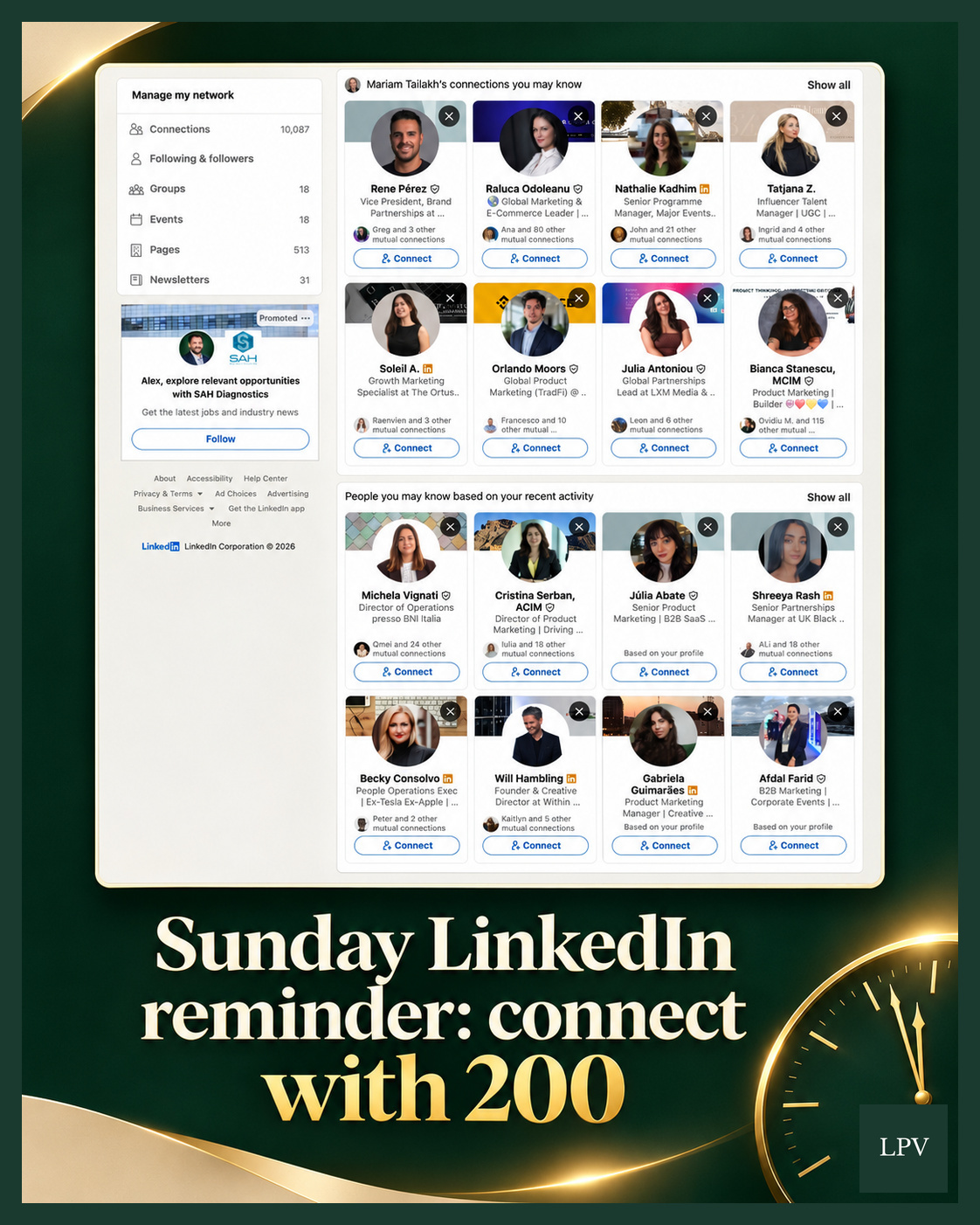
Scroll the suggested connections and look at the mutual connections count under each name.
Why Start With Mutual Connections?
People who know the same people are more likely to accept, and each new connection widens who sees your posts.
The screenshot shows cards with counts such as “80 other mutual connections” and “115 other mutual”, while others show only 2 or 3. Start at the top of that count and work down.
- Bianca Stanescu: 115 other mutual connections
- Raluca Odoleanu: 80 other mutual connections
- Michela Vignati: 24 other mutual connections
- Nathalie Kadhim: 21 other mutual connections
How Many LinkedIn Connection Requests Can You Send Each Week?
LinkedIn gives roughly 200 invites every seven days, and the limit resets at Sunday midnight.
Alex’s advice is simple: “Don’t stop until you reach the 200 people limit.”
Why Does a Weekly LinkedIn Habit Matter for Video Marketing?
Consistency beats a big burst, and that principle applies to both networking and video marketing.
LPV Agency applies it through ClientWorkSystem. Clients give two minutes a week, and LPV handles the strategy, editing, posting and consistency.
Key Takeaways
- Unused weekly invites do not roll over, so use them or lose them.
- Go to My Network and review the suggested connections.
- Rank people by their mutual connections count.
- Press Connect until you reach the 200 limit.
- Repeat every Sunday.
Implementation Checklist
- Set a Sunday reminder before midnight.
- Open My Network and scroll the suggestions.
- Connect with the highest mutual counts first.
- Keep going until you hit 200.
- Pair the habit with a steady weekly content routine.
Common Mistakes
- Leaving invites unused and losing them at midnight.
- Connecting at random instead of prioritising mutual connections.
- Stopping before reaching the 200 limit.
- Treating it as a one-off instead of a weekly habit.
Closing: Small Weekly Actions Add Up
Alex at LPV Agency offers video marketing for UK businesses, helping owners who dislike marketing stay consistent. Clients record two minutes a week, and LPV handles the rest through ClientWorkSystem.
Send your 200 invites tonight, then talk to LPV Agency about taking the content work off your plate.